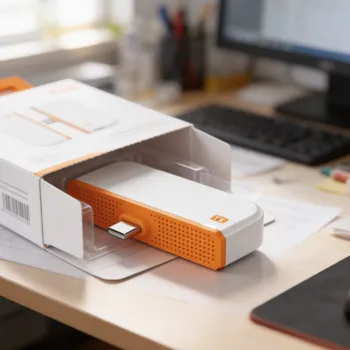
Cut the cable. Own the big screen.
True wireless 1080p HD with ultra-low latency—plug & play in seconds. No Wi-Fi. No apps. Just instant streaming.
Wireless HDMI in seconds — no faff, no cables
BeamStick mirrors your screen to a TV, projector, or monitor in crisp Full HD. Plug in, connect, and stream smoothly — with no Wi-Fi and no apps required.
Why BeamStick?
Designed for fast set-ups at home or at work, BeamStick helps you ditch the HDMI lead and share your screen cleanly — whether it’s film night, a Teams deck, or a quick demo.
Key benefits
- Clean, sharp Full HD mirroring for bigger-screen viewing ✅
- Simple set-up: plug in and connect — no apps or network settings ✅
- Smoother playback thanks to low-latency performance ✅
- Flexible placement for lounges, meeting rooms, classrooms, and events ✅
- Less clutter: a tidy alternative to long HDMI runs ✅
Perfect for
- Home: films, sports, and streaming from your laptop to the telly ✅
- Work: presentations and screen-sharing without hunting for a cable ✅
- Education: quick classroom set-ups for lessons and videos ✅
- Events: demos and display screens with cleaner layouts ✅
How it works
Transmitter + receiver
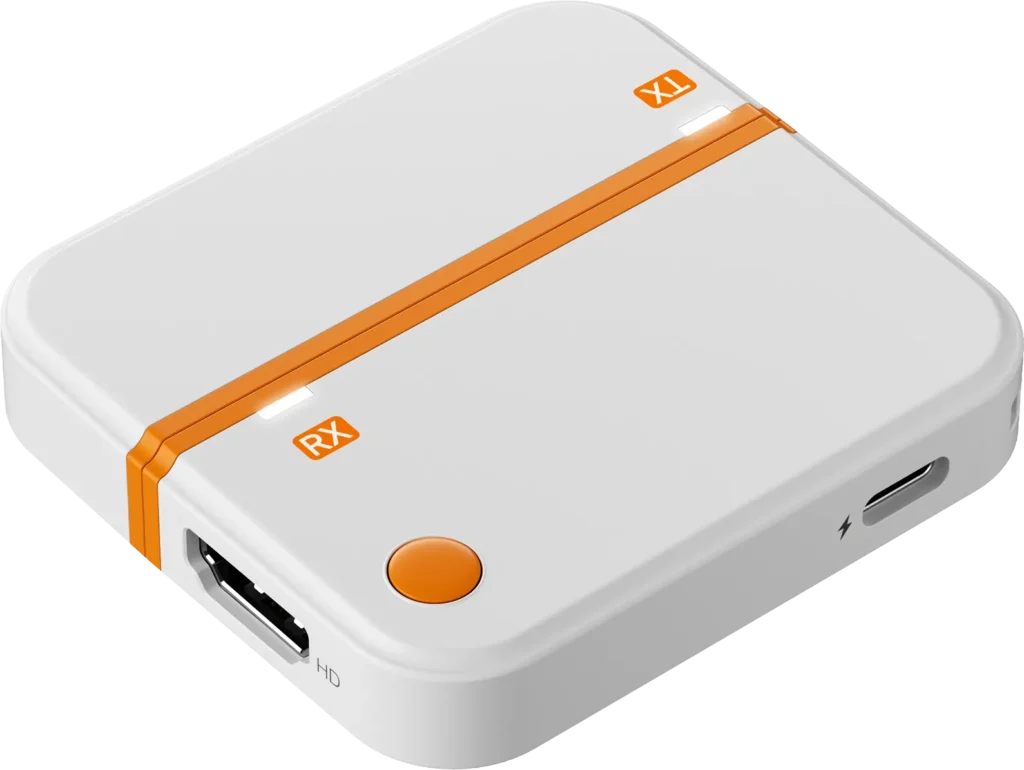
Plug the receiver into your TV/projector/monitor and the transmitter into your source device. BeamStick creates a direct wireless link for mirroring.
Fast, tidy screen sharing
Built for smooth Full HD playback and confident presenting — ideal when you want a cleaner set-up with fewer wires.
Tip: your content still comes from your phone/laptop/console. BeamStick simply sends the screen to your display.
Product overview
| Feature | What it helps with | Notes |
|---|---|---|
| 1080p Full HD | Crisp picture for films and slides | Output may vary by device/content |
| No Wi-Fi / no app | Quick set-ups without network hassle | Direct connection design |
| Low-latency performance | Smoother playback and presenting | Latency depends on setup/environment |
| Flexible range | More freedom in room layouts | Best line-of-sight; walls may reduce range |
| Wide compatibility | Works across common displays | TVs, projectors, monitors (HDMI input) |
| Compact design | Cleaner, more portable kit | Great for travel and meetings |
How to use
- Connect the receiver to your TV/projector/monitor via HDMI ✅
- Connect the transmitter to your source device (as supported) ✅
- Power the units as needed and allow them to connect ✅
- Select the correct HDMI input on your display ✅
If your laptop/phone needs an adapter (e.g., USB-C to HDMI), use a compatible adapter for your device.
Safety & care
- Indoor use only — keep away from water and moisture ❌
- Do not bend cables or force connectors into ports ❌
- Use a stable power source and keep ventilation clear ✅
- Unplug before cleaning; wipe with a soft, dry cloth ✅
What people often like (examples)
- “Set-up was dead easy and the picture looks great.” ✅
- “No more scrambling for an HDMI cable in meetings.” ✅
- “Much tidier behind the TV.” ✅
Examples are illustrative; experiences can vary by device, layout, and environment.
UK offer while stock lasts
Limited-time savings available.
Pricing and availability may change based on promotions and inventory.
Frequently asked questions
Do I need Wi-Fi or an app?
No — BeamStick is designed to connect directly, so you don’t need Wi-Fi or an app for set-up.
Will there be any delay?
BeamStick is built for low-latency performance. Delay can still vary depending on the device, content, and environment.
What does it work with?
Any TV, projector, or monitor with an HDMI input should work with the receiver. Source compatibility depends on the ports on your phone/laptop/console (adapters may be needed).
How far does it reach?
Range depends on layout and obstacles. For best results, use line-of-sight and minimise walls or heavy interference.
Is it suitable for presentations?
Yes — it’s a popular choice for meetings, classrooms, and demos when you want a quicker, cleaner set-up.
Order
Place your checkout widget here, or keep the button above linked to your preferred UK order page.
This offer currently includes a 70% discount off the regular price. Availability may vary depending on stock and ongoing promotions.
THIS IS AN ADVERTISEMENT AND NOT AN ACTUAL NEWS ARTICLE, BLOG, OR CONSUMER PROTECTION UPDATE
All trademarks, logos, brand names, and product names referenced on this website are the property of their respective owners. Any company, product, or service names are used strictly for identification purposes only. Their use does not imply endorsement, sponsorship, affiliation, partnership, or ownership.
MARKETING DISCLOSURE: This website (beamstick.co.uk) operates as a commercial and informational advertising platform. The owner of this website may receive compensation when users click promotional links and complete a qualifying action such as purchasing a product on a third-party website. We do not manufacture, store, distribute, ship, invoice, or process payments for any products advertised. We do not provide warranties, guarantees, returns, exchanges, billing support, or customer service related to any product featured on this website. All product-related responsibilities rest solely with the official product vendor. For product inquiries, order status, returns, or support, please contact the vendor directly at: help@spark-tek.co. Pricing, availability, and promotional offers may change without notice.
ADVERTISING DISCLOSURE: This website functions as an independent advertising marketplace and is not a news organization, editorial publication, manufacturer, or consumer protection agency. Images used on this website may include models and are for illustrative purposes only. External links may redirect users to third-party websites governed by their own privacy policies and terms. We assume no responsibility for the content or practices of any third-party website.
We respect your privacy. Cookies and similar technologies may be used for essential website functionality, analytics, fraud prevention, and advertising measurement. Where legally required, non-essential cookies are activated only after user consent.
Privacy Policy
×This Privacy Policy applies to beamstick.co.uk. This website operates solely as an advertising and informational platform and does not sell products directly.
We may collect technical data such as IP address, browser type, device information, pages visited, and referral sources for analytics, security, and advertising performance measurement.
Purchases are completed on the official vendor website. The vendor is solely responsible for payment processing, fulfillment, returns, and customer service.
Vendor support: help@spark-tek.co
Terms & Conditions
×By using this website, you acknowledge that it functions strictly as an advertising platform.
We do not sell, ship, or process payments for any product. All transactions occur on third-party vendor websites.
All content is provided “as is” without warranties of any kind.
About Us
×beamstick.co.uk is an independent advertising and informational platform designed to connect users with official product vendors.
We may receive compensation when users click promotional links and complete qualifying purchases.
Contact Us
×Website inquiries: contact@beamstick.co.uk
Product or order support: help@spark-tek.co